- Logging in
- Navigating the content tree
- Lock and edit
- Create a new page
- Metadata
- Page and short titles
- Rich text editor
- Pasting as plain text
- 'Normal' paragraphs
- Headings
- Bulleted lists
- Link text
- Links
- Upload images and documents
- Add image to the rich text editor
- Attach and detach images/documents
- Submit a page or component
- Unlock all
- Azorus form embed
- Components
- Return to the start of the menu
-
Training guides
- Logging in
- Navigating the content tree
- Lock and edit
- Create a new page
- Metadata
- Page and short titles
- Rich text editor
- Pasting as plain text
- 'Normal' paragraphs
- Headings
- Bulleted lists
- Link text
- Links
- Upload images and documents
- Add image to the rich text editor
- Attach and detach images/documents
- Submit a page or component
- Unlock all
- Azorus form embed
- Components
Training guides
Create a new page
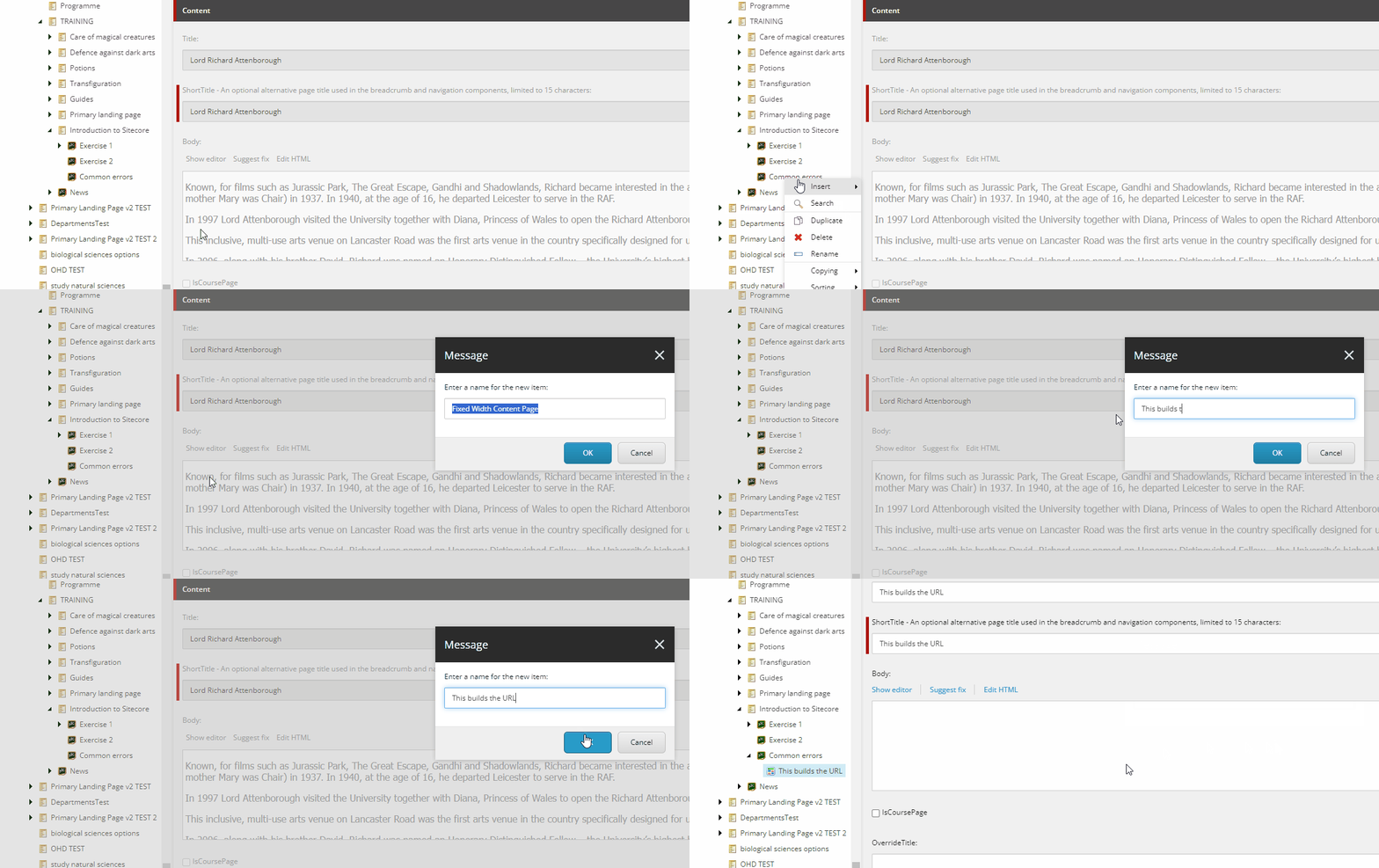
As learnt in 'navigating the content tree', the name of the page in the content tree builds the URL. Therefore, the page name in this area needs to be succinct, but include keywords which will positively impact the Search Engine Optimisation (SEO) of the page. Conjunctions such as 'the', 'and', 'to', etc are often not necessary.
Right click on the parent page of the new page, click 'Insert' and then select 'Fixed Width Content Page'. Enter the name of the page in the window which pops up. Remember that you are building the URL, so be succinct and think about keywords when naming the page.